How to Use AI for Decision Making: A Practical Framework for Executives
Most executive decisions fail not from a lack of data — but from too little structured thinking time. This 6-step workflow turns AI into a decision-making partner.
The management consulting industry has spent years writing about AI and decision-making. Most of it is theoretical — cognitive bias frameworks, decision trees, systems thinking. None of it tells you what to do at 11am on a Tuesday when you have three competing recommendations, a 2pm call with the CFO, and 90 minutes to form a defensible view.
This is the practical version.
What's covered: A 6-step decision-making workflow using AI — from defining the decision clearly to documenting the rationale. Worked example throughout: a VP of Operations deciding whether to build a custom data integration tool or buy a vendor solution. Paste-ready prompts for each step.
What's not covered: AI tools for predictive analytics, machine learning-assisted forecasting, or quantitative modelling. This workflow is for qualitative strategic decisions — the kind where you have information but need to think clearly about it.
One note on verification: AI does not have access to your organisation's data, live financials, or market information unless you paste it in. If a step produces specific numbers or timelines you didn't provide, treat them as illustrative structure — verify against your actual sources before committing.

Most executive decisions fail not from a lack of data — but from too little structured thinking time
The problem with most executive decision-making isn't a lack of data. It's too much information arriving from too many directions, too little structured thinking time, and the pressure to appear confident before the analysis is done. AI doesn't make decisions for you. Used well, it makes your thinking faster, more structured, and harder to ambush.
Step 1: Define the Decision You're Actually Making
Most executives enter a decision process with a poorly scoped question. "Should we invest in our data infrastructure?" is not a decision. "Should we build a custom data integration layer or buy a vendor solution — and which answer better supports our 18-month product roadmap?" is a decision.
The cleaner the question, the more useful everything that follows.
Help me do three things: (1) Restate the core decision in a single sentence — what is being decided, not the background. (2) Identify any embedded sub-decisions I need to resolve first. (3) Confirm who the decision-maker is, who the key stakeholders are, and whether this requires a group decision or an individual call.
Why this step matters: An imprecise question produces confident-sounding but irrelevant analysis. Fifteen minutes on Step 1 saves three days of debating the wrong thing.
Step 2: Map What You Know, Think You Know, and Don't Know
Before generating options, you need to be explicit about the quality of your information. This is the step most executives skip — and where most decisions go wrong.
Categorise my information into three groups: (1) What I know with high confidence — verified facts, signed contracts, confirmed constraints. (2) What I think is true but haven't verified — assumptions, estimates, informed guesses. (3) What I don't know and need to find out before I can make this decision confidently.
For group 3: prioritise by importance. Which gap, if left unfilled, is most likely to result in a wrong decision?
Why this step matters: You can't know what you're deciding until you know what you actually know. The maintenance gap in the example above is the kind of thing that gets discovered six months into a build, not before it starts.
Step 3: Generate Options You Haven't Considered
Most executives arrive at a decision with two options already formed. The AI's job in Step 3 is to break that binary.
Then: what is the option I would be most embarrassed to admit I didn't consider?
Why this step matters: A binary decision is usually a sign of anchoring — you've already landed on an answer and are collecting evidence for it. This step forces the aperture open.
Step 4: Stress-Test Your Leading Option
By Step 4, you probably have a preferred option. This step is where you attack it.
Context: [paste your Step 2 output and any additional information]
Do not hedge. Argue that the failure was foreseeable and preventable.
Why this step matters: Framing the prompt as "the decision already failed" removes the AI's tendency toward balance. You're asking for attack, not analysis. The constraint to name early warning signs converts risk identification into operational planning.

Every decision lands in a political context — understanding the room is not optional
Step 5: Run a Stakeholder Pressure Test
Every decision lands in a political context. Before you commit, you need to understand how the key stakeholders will receive it — not to change your decision to please them, but because a decision no one will execute is not a decision.
For each stakeholder: (1) What outcome do they most want from this decision? (2) What concern will they have about my preferred option that they may not raise directly? (3) What would make them genuinely supportive — not just compliant?
Do not tell me what I want to hear. Assume each stakeholder has a legitimate reason to push back.
Why this step matters: This isn't about consensus. It's about understanding the room before you walk into it so your decision lands rather than stalls.
Step 6: Document the Rationale
Most executives make decisions and move on. The decision rationale — why you chose what you chose, what you decided not to do, and what would change your view — is what enables accountability, learning, and clean escalation when things shift six months later.
Keep the total under 300 words. This is a decision record, not a justification memo.
Why this step matters: Decisions without documented rationale create institutional amnesia. Six months later, no one remembers why the choice was made — and the same debate starts again.
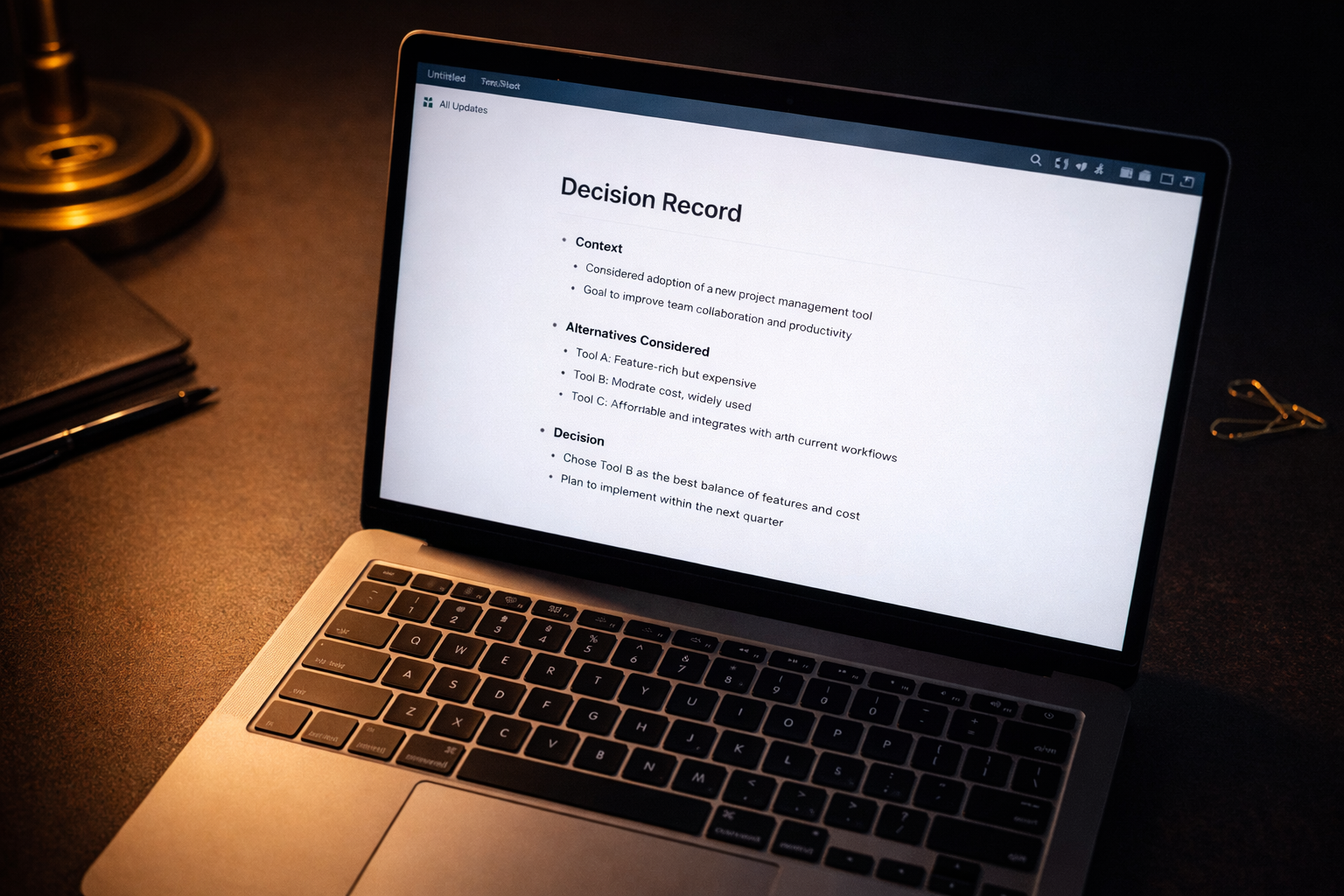
A decision record that takes five minutes to write saves five hours of re-litigation
When Not to Use This Workflow
Three situations where this framework adds noise instead of clarity: decisions that are genuinely urgent and require a call in minutes rather than hours (the workflow is designed for decisions where you have 45 minutes to 3 hours); decisions that hinge entirely on quantitative data your AI doesn't have access to; and decisions so politically complex that the analysis itself is a secondary factor. In those cases, Steps 5 and 6 alone — the stakeholder pressure test and decision documentation — are still useful as standalone tools.
The Full Workflow in Practice
Run all six steps for major strategic calls: capital allocation, build vs. buy, org design, vendor selection, significant hires. For routine operational decisions, Steps 1, 4, and 6 are usually enough.
For the prompt formats that support the analysis in Steps 2–4, see The Best AI Prompts for Executives — the decision-making prompts are in Scenario 3.
For the tools that run this workflow: The Executive AI Stack in 2026. For the meeting where you present the outcome: How to Prepare for Any Executive Meeting Using AI. For crisis decisions made under time pressure, see AI for Crisis Management.
The context you bring to Step 2 improves sharply if you have a knowledge system in place. See How to Build a Second Brain with AI for the retrieval system that feeds this workflow.
The Executive AI Toolkit is built for this workflow.
The Decision Log captures every decision record from Step 6. The Prompt Library includes 15 decision-making prompts that extend each step — covering scenario analysis, constraint mapping, and board-level decision framing. The Role Calibration component sharpens every output.
$67. One purchase. No subscription.
Get the Executive AI Toolkit — $67Free guide + weekly newsletter
Get Started with AI in One Day — Free
Subscribe and get our free 15-page starter guide instantly. Then weekly AI workflows, honest tool takes, and strategies for senior professionals. No fluff. Unsubscribe any time.
Keep reading