AI for Executive Communication: Emails, Memos, and Briefs That Don't Sound Like a Robot
AI writes the same way for everyone. This article shows you how to calibrate it to your voice — with paste-ready prompts for escalations, difficult asks, decision briefs, and all-hands messages.
The problem isn't that AI writes badly. The problem is that it writes the same way for everyone. An email drafted by AI for a VP of Operations and one drafted for a Chief Legal Officer look nearly identical — formal, hedged, and slightly too long. Neither sounds like someone who's been in the job for fifteen years and knows exactly how they communicate.
This article fixes that.
What's covered: Four executive communication formats — escalation emails, difficult asks, project update memos, decision briefs, and all-hands messages — with a process for calibrating AI to write in your voice. Each format includes a paste-ready prompt and a before/after showing the difference calibration makes.
What's not covered: LinkedIn content, thought leadership articles, or marketing copy. This is about internal and stakeholder communications in a professional executive context.

The discipline of filling in the bracketed fields forces clarity before you draft
The Setup Step That Changes Every Format
AI models default to a professional register that means: formal, hedged, moderately verbose, and structured around demonstrating thoroughness rather than driving to a point. That's not how most effective executives communicate. They're direct, they use short sentences under pressure, they don't over-explain, and they close with a clear action rather than an open invitation to discuss further.
This register is learnable from examples — and it takes about five minutes to establish.
[Email 1 — paste as-is, no editing]
[Email 2 — paste as-is]
[Email 3 — paste as-is]
Summarise my communication style in five observations. Then confirm you're ready to write in this style by drafting a one-paragraph message telling me my 9am meeting tomorrow has moved to 11am.
Important: Most AI tools reset calibration when you start a new conversation. Save this prompt — plus the style summary the AI produces — as a document you can paste at the start of any new session. The one-time investment pays off in every piece of communication you produce afterward.
Once confirmed, open each new communication session with: "Use the communication style you've learned from my examples." The Role Calibration pack in the Executive AI Toolkit takes this further with role-specific system prompts for six executive archetypes — each tuned to how that role actually communicates under different kinds of pressure.
Everything in this article assumes this step is done.
Executive Emails
The emails that cost the most time are the ones combining bad news, a difficult ask, or a politically sensitive situation. These are also where AI defaults hardest to diplomacy — and diplomacy reads as weakness.
The escalation email
Situation: A problem has moved beyond your authority to resolve, or needs to be on record with senior leadership before it gets worse.
Write an email that: (1) opens with the situation, not the background, (2) is specific about what's failed and what's been tried, (3) states what I need from the recipient — one ask, not three, (4) gives a deadline. Tone: matter-of-fact. This should not read like a complaint or a request for sympathy.
Before (uncalibrated)
After (calibrated)
The difficult ask
Situation: Requesting budget, headcount, or a commitment that hasn't been offered.
Write a message that: (1) leads with what I'm asking for and why now — not the preamble, (2) anticipates the main objection and addresses it in the email itself, (3) ends with a specific next step I'm proposing, not "let me know your thoughts." Under 200 words.
Before (uncalibrated)
After (calibrated)
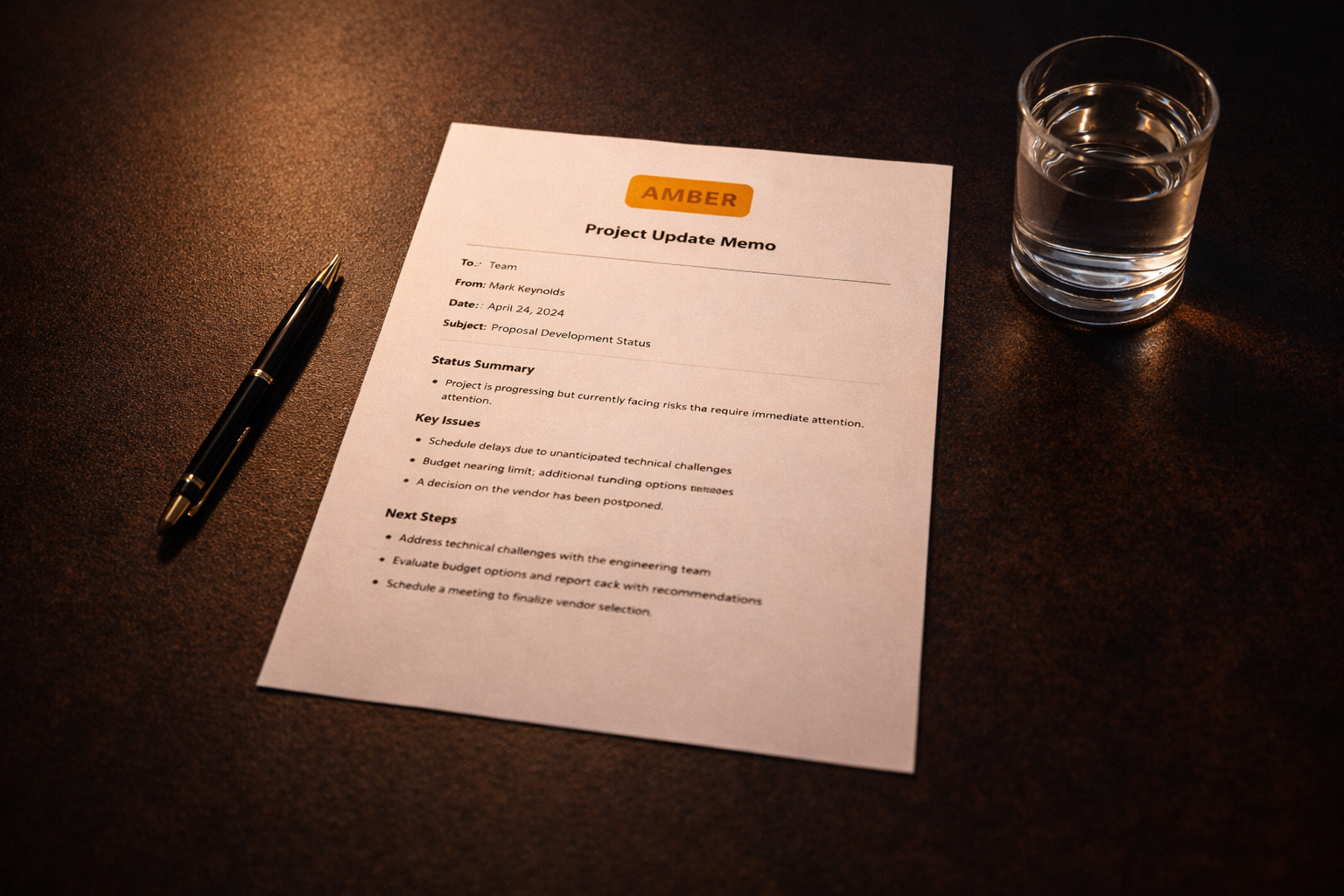
A well-written executive memo should be readable in 90 seconds and actionable in 2 minutes
Memos and Decision Briefs
The memo is one of the most misused formats in executive communication. Most are too long, bury the conclusion, and require the reader to work to find the point. A well-written executive memo should be readable in 90 seconds and actionable in 2 minutes.
The project update memo
Situation: An update to a senior stakeholder or committee on a project with mixed results.
Write a memo using this structure: (1) Status line at top — one sentence, use RAG or plain language, (2) What's progressed since the last update, (3) Issues and risks — what's causing concern and what's being done about it, (4) What I need from the reader — one specific thing. Under 300 words.
Before (uncalibrated)
After (calibrated)
The decision brief
Situation: Putting a decision to a senior leader or committee. The goal is to make the decision easy to make — not to demonstrate how much work went into the analysis.
Structure this as: (1) Decision needed — one sentence, (2) Context — why this needs a decision now, 2 sentences, (3) Options — one row per option, one sentence on the trade-off, (4) Recommendation and rationale — 2–3 sentences, (5) Risks if recommendation is approved — two bullets max, (6) Decision requested — the specific question being answered. Under 250 words. No preamble.
Before (uncalibrated)
After (calibrated)
The decision brief format earns its own discipline — see How to Use AI for Decision Making for the full workflow that precedes writing this document.

All-hands messages fail when they sound like a communications department talking to a headcount
All-Hands and Team Communications
The all-hands message is where AI output most visibly fails. It gets formal, passive, and evasive — exactly the tone that destroys trust with a team that has a sensitive radar for corporate non-communication.
The organisation announcement
Situation: A change that affects the team — restructure, leadership change, new direction, departure.
Write this as a senior leader talking to people they trust, not a communications department talking to a headcount. End with a clear next step — what happens in the next 48 hours.
Before (uncalibrated)
After (calibrated)
Building the Communication System
The one-time setup — calibrate AI to your voice using three emails — takes 10 minutes. Save the prompt and the style summary as a reusable document so it carries across sessions.
From there, the recurring habit is straightforward: before writing anything with significant stakes, fill in the bracketed fields of the relevant prompt above. The discipline of filling in [what failed] and [what you need from the recipient] forces you to be clear about what you're trying to communicate before you draft. That clarity is the output — the AI just formats it.
The Strategic Communication section of the Executive AI Toolkit includes 15 prompts beyond what's covered here — contract negotiation briefs, board communications, performance conversation scripts, and stakeholder management messages. For the full library across all executive communication scenarios, see The Best AI Prompts for Executives.
For the tools that support this workflow: The Executive AI Stack in 2026.
15 more communication prompts in the Executive AI Toolkit
Contract negotiation briefs, board communications, performance conversation scripts, and stakeholder management messages — plus Role Calibration system prompts for six executive archetypes.
$67. One purchase. No subscription.
Get the Executive AI Toolkit — $67Free guide + weekly newsletter
Get Started with AI in One Day — Free
Subscribe and get our free 15-page starter guide instantly. Then weekly AI workflows, honest tool takes, and strategies for senior professionals. No fluff. Unsubscribe any time.
Keep reading